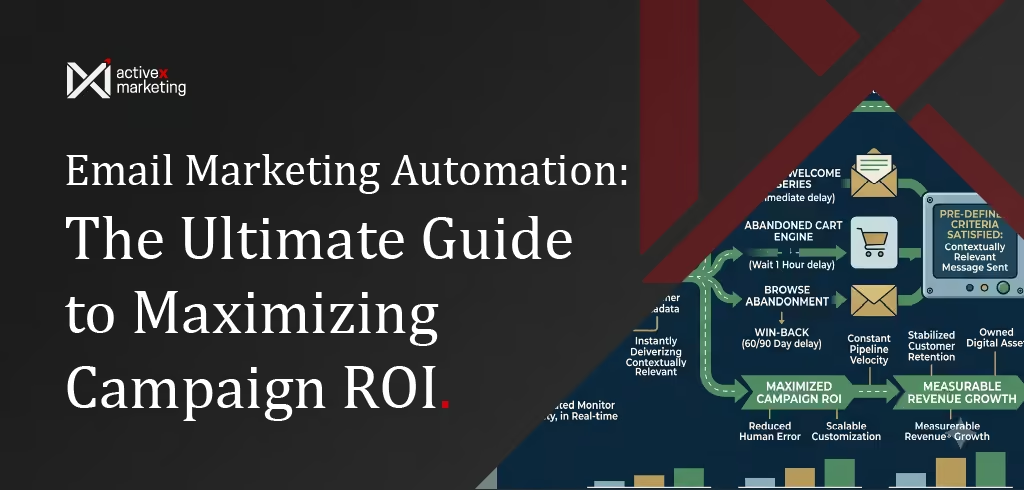
Email Marketing Automation: The Ultimate Guide to Maximizing Campaign ROI
In modern digital commerce, static broadcast campaigns no longer suffice to capture consumer attention amidst saturated inboxes and shifting privacy standards. Performance-driven marketing departments that continue to rely on manual, batch-and-blast outreach face a compounding deficit in operational efficiency. This lack of sophisticated email marketing automation directly results in plummeting customer retention, elevated unsubscribe rates, and wasted acquisition spend. When organizations fail to align message delivery with real-time user behavior, they surrender market share to competitors who systematically target the customer journey. To reverse this leak in the conversion funnel, brands must transition to a highly targeted, trigger-based communication infrastructure. This guide provides a definitive roadmap to designing, deploying, and scaling automated workflows that drive measurable revenue. We examine everything from foundational strategy and logical workflow mapping to advanced optimization techniques like dynamic personalization and behavioral analytics, giving you the exact blueprint to maximize campaign ROI.
Introduction to Email Marketing Automation
What is Email Marketing Automation?
Email marketing automation is a software-driven strategy that sends targeted, behavior-triggered emails to subscribers based on specific actions, schedules, or database updates. This technology replaces manual, batch-and-blast campaigns with highly personalized, scalable workflows that guide prospective buyers through the customer journey automatically.
+-------------------------------------------------------------+
|                     AUTOMATION ENGINE                      |
+-------------------------------------------------------------+
                               |
       +-----------------------+-----------------------+
       |                                               |
       v                                               v
[User Behavioral Data]                        [System Integrations]
 - Page views                                  - CRM synchronizations
 - Cart additions                              - API payloads
 - Form submissions                            - Customer metadata
Modern automation systems continuously monitor user activity across websites, mobile applications, and purchase points. When a customer satisfies pre-defined criteria, the platform instantly delivers a contextually relevant message without requiring manual execution from marketing personnel. This integration links customer data platforms directly to communication channels, ensuring real-time operational execution.
The Core Benefits: Scaling Customer Retention and Operational Efficiency
Manual campaign management restricts marketing operations to linear timelines, limiting subscriber outreach to single-batch broadcasts. Implementing automated messaging structures allows enterprises to execute infinite, simultaneous customer conversations tailored to individual interactions. This programmatic approach ensures that no lead falls out of the sales pipeline due to administrative delays.
Operational scale directly enhances retention by establishing consistent, predictable touchpoints throughout the post-purchase lifecycle. Automated triggers deliver post-sale support, product education, and timely replenishment reminders without demanding incremental resources from internal teams. Consequently, organizations see a stabilization in customer retention metrics and a reduction in manual workflow hours.
- Resource Redistribution: Teams pivot from repetitive execution to high-level strategic optimization and creative development.
- Reduced Human Error: Standardized logic paths prevent accidental duplicate deployments or improper segmentation.
- Constant Pipeline Velocity: Leads receive immediate nurturing responses regardless of operational business hours or staff availability.
- Scalable Customization: Customer data platforms dynamically populate assets for millions of users simultaneously.
The ROI Formula: How Automated Workflows Outperform Broadcast Campaigns
To calculate the financial efficiency of automation compared to broadcast campaigns, organizations must evaluate specific performance markers. The Return on Investment (ROI) of marketing automation is calculated using the following structural formula:
$$\text{Automation ROI} = \frac{\text{Attributed Automated Revenue} - (\text{Platform Costs} + \text{Management Hours})}{\text{Platform Costs} + \text{Management Hours}} \times 100$$
Automated campaigns generate disproportionately higher margins because they utilize high-intent trigger points. A broadcast campaign communicates broad information to a cold or passive audience, whereas triggered workflows target users during peak engagement moments. The structural differences in performance metrics highlight the value of behavioral trigger integration.
| Metric | Broadcast Campaigns (Batch-and-Blast) | Automated Workflows (Trigger-Based) |
|---|---|---|
| Average Open Rates | 12% - 18% | 35% - 55% |
| Click-Through Rates | 1.5% - 2.5% | 6.0% - 11.0% |
| Conversion Efficiency | Low (Generic broad offers) | High (Contextual, action-driven offers) |
| Subscriber Fatigue | High (Irrelevant content frequency) | Low (Interaction-dependent delivery) |
| Data Requirements | Static list attributes | Dynamic real-time event tracking |
Foundational Steps: Planning Your Automation Strategy
Defining Clear Campaign Goals and Key Performance Indicators (KPIs)
An enterprise automation strategy requires clear objective alignment before any logical paths are built in an email service provider. Organizations must map individual workflows to specific, measurable business milestones, such as shortening B2B sales cycles or driving retail repeat purchases. Clear goal definition prevents teams from deploying disjointed sequences that confuse subscribers and dilute brand equity.
       +-----------------------+
       |   Enterprise Goal     |  <-- Pipeline Acceleration
       +-----------------------+
                   |
                   v
       +-----------------------+
       |    Target Workflow    |  <-- Triggered Case Study Sequence
       +-----------------------+
                   |
                   v
       +-----------------------+
       |     Primary KPI       |  <-- Click-to-Open Rate (CTOR)
       +-----------------------+
Once objective alignment is secure, operational teams must establish distinct primary and secondary key performance indicators. While overall open rates offer basic visibility, revenue-based attribution metrics confirm true campaign performance. Teams should establish baseline thresholds for deliverability, engagement, and down-funnel conversions to measure the health of each automated branch.
- Primary KPI (Conversion-focused): Attributed Revenue, Demo Requests, or Completed Transactions.
- Secondary KPI (Engagement-focused): Click-to-Open Rate (CTOR), Workflow Completion Rate, and Forwarding Rates.
- Deliverability Guardrails: Bounce Rate (must remain under 1.5%), Spam Complaint Rate (must remain below 0.1%).
List Hygiene and Audience Segmentation Strategies
High deliverability and performance require rigorous data maintenance and highly specific segmentation criteria. Sending automated sequences to unengaged or invalid addresses signals poor sending practices to internet service providers, degrading domain reputation. Automated list hygiene routines should systematically identify and quarantine inactive profiles, ensuring resources target receptive recipients.
                   [ Incoming Webhook / Lead Capture ]
                                   |
                                   v
                      { Double Opt-In Verified? }
                       /                       \
                     Yes                        No
                     /                            \
        [Apply Hygiene Tags]               [Suppress Record]
                    |
                    v
         { Behavior Analysis }
          /                 \
     Engaged               Inactive > 90 Days
       /                       \
[Active Segments]       [Trigger Win-Back / Sunset]
Segmentation should go beyond basic demographic markers to leverage real-time behavioral data and firmographic details. Advanced automation platforms categorize audiences by intent indicators, purchase histories, and content engagement levels. This layered architecture allows campaigns to automatically serve hyper-relevant product categories, technical assets, or pricing tiers to appropriate buyers.
- RFM Segmentation: Segmenting customers by Recency, Frequency, and Monetary value of purchases.
- Engagement Tiering: Dividing lists into active (clicked in last 30 days), passive (opened in 90 days), and dormant profiles.
- Firmographic Layering: For B2B campaigns, grouping subscribers by company size, industry sector, and job seniority level.
- Sunset Rules: Automated triggers that unsubscribe or suppress records displaying zero engagement over a consecutive 120-day span.
Choosing the Right Email Service Provider (ESP) for Advanced Features
Selecting an enterprise-grade Email Service Provider requires evaluating technical capabilities against organization-specific operational goals. A basic marketing platform cannot support complex conditional logic, API integrations, and multi-branch data architectures. Engineering and marketing stakeholders must collaborate to ensure the chosen platform integrates with existing CRM, customer data, and ERP systems.
| Technical Capabilities | Mid-Market ESP Systems | Enterprise Marketing Cloud Platforms |
|---|---|---|
| Data Processing | Batch updates, static custom fields | Real-time relational databases, event streaming |
| API Architecture | Limited REST endpoints | High-concurrency APIs, webhooks, custom endpoints |
| Branching Logic | Single-tier splits (Yes/No pathing) | Multi-variable nested branches, dynamic wait steps |
| Machine Learning | Basic dispatch optimization | Predictive churn models, automated product grids |
| Access Controls | Simple user permissions | Role-based single sign-on (SSO), multi-brand tenancy |
Enterprise systems must also offer robust deliverability tools, including dedicated IP address routing, feedback loop monitoring, and custom domain verification. Platforms must natively support SPF, DKIM, and DMARC configuration to prevent spoofing and ensure messages reach the inbox. Evaluating these technical parameters prevents costly migration projects as automated programs scale.
Step-by-Step Email Workflow Mapping
Aligning Email Triggers with the Customer Journey
Effective automation maps targeted messages directly to key stages of the customer buying journey. Every automated sequence must initiate from a distinct user behavior or operational event, rather than an arbitrary calendar date. This behavioral alignment ensures that the consumer receives information that directly matches their current level of interest.
       [ Awareness Stage ]          [ Consideration Stage ]           [ Decision Stage ]
                |                              |                              |
                v                              v                              v
    { Lead Magnet Download }          { Product Page View }          { Cart Abandonment }
                |                              |                              |
                v                              v                              v
    [ Welcome / Value Sequence ]     [ Product Feature Review ]     [ Incentivized Checkout ]
A prospect downloading a top-of-funnel resource requires high-value, educational content to build initial brand affinity. Conversely, a subscriber visiting a specific pricing page multiple times should trigger mid-funnel case studies or sales contact options. Aligning triggers with real-time user intent minimizes sales friction and guides users toward conversion.
Designing the Logical Paths: Splits, Delays, and Conditional Logic
Constructing functional automation blueprints requires balancing precise timing delays with multi-variable branching logic. If-else statements direct contacts down specific paths based on how they interact with previous messages or updates in their customer profile. Designers must program appropriate waiting intervals to prevent overwhelming subscribers with rapid-fire messages.
                             [ Trigger: Cart Abandonment ]
                                           |
                                     (Delay: 1 Hour)
                                           |
                                    [ Send Email 1 ]
                                           |
                                    (Delay: 24 Hours)
                                           |
                              { Did User Complete Purchase? }
                               /                           \
                             Yes                            No
                             /                                \
                 [Exit Workflow & Tag]                  [ Send Email 2 ]
                                                              |
                                                       (Delay: 48 Hours)
                                                              |
                                                { Did User Open Email 2? }
                                                 /                      \
                                               Yes                       No
                                               /                           \
                                [Send Coupon Offer]             [Send Product Review]
Relative delays adjust dynamically based on customer actions, while absolute delays pause communication until a specific calendar day or time window. Incorporating weekend holdout steps ensures professional B2B communications arrive only during business hours. This layered structural logic keeps automated messaging programs relevant, contextual, and polite.
Draft Copywriting and Asset Creation for Automated Sequences
Copywriting for automated campaigns requires a modular design approach that supports dynamic content insertion. Instead of writing static copy for a single reader, writers must craft highly flexible templates that adapt to variable customer data points. This modular methodology uses fallback elements to ensure emails render correctly even when profile attributes are missing.
Every email asset should utilize responsive, mobile-first design frameworks that display properly across all screen sizes and email clients. Visual designs must remain clean and lightweight to prevent rendering issues and loading delays in mail applications. Prioritizing HTML text over heavy image-only layouts improves overall screen-reader accessibility and deliverability metrics.
========================================================================================
                              VISUAL WORKFLOW BLUEPRINT
========================================================================================

SEQUENCE 1: THE 4-PART WELCOME SERIES (Trigger: Account Registration / Opt-In)
----------------------------------------------------------------------------------------
[Signup Event]
      │
      ▼
(Immediate Delay) ──> [Email 1: Value Proposition & Deliverable]
      │
      ▼
(Wait 2 Days)     ──> [Email 2: Core Educational Asset / Narrative]
      │
      ▼
(Wait 3 Days)     ──> [Email 3: Interactive Resource / Community CTA]
      │
      ▼
(Wait 2 Days)     ──> { User Profile Completed? }
                           ├──> YES: [Email 4A: Product Feature Walkthrough] ──> [Exit]
                           └──> NO:  [Email 4B: Profile Completion Prompt]  ──> [Exit]


SEQUENCE 2: THE ABANDONED CART ENGINE (Trigger: Checkout Initialized & Incomplete)
----------------------------------------------------------------------------------------
[Cart Abandoned]
      │
      ▼
(Wait 45 Minutes) ──> [Email 1: Helpful Checkout Recovery Link]
      │
      ▼
(Wait 24 Hours)    ──> { Re-engagement? }
                           ├──> Clicked but No Purchase: [Email 2A: Social Proof Focus]
                           └──> No Interaction:          [Email 2B: Product Benefit Focus]
      │
      ▼
(Wait 48 Hours)    ──> { Purchase Completed? }
                           ├──> YES: [Exit Sequence & Trigger Onboarding]
                           └──> NO:  [Email 3: Scarcity Warning & Limited Incentive]
========================================================================================
High-Converting Email Automation Examples for Growth
The Multi-Stage Abandoned Cart Sequence for E-Commerce and Retail Growth
The abandoned cart sequence is one of the most effective revenue recovery tools for online retail businesses. This sequence targets motivated buyers who selected items but paused before completing their purchases. A structured, multi-stage recovery sequence recaptures lost revenue by combining helpful customer service with strategic conversion incentives.
       [ Cart Abandoned ]
               |
        (Wait 1 Hour)
               |
     [ Email 1: Customer Service ]  <-- Solve checkout issues, no discount
               |
        (Wait 24 Hours)
               |
     [ Email 2: Social Proof ]      <-- Reviews, guarantees, dynamic cart view
               |
        (Wait 48 Hours)
               |
     [ Email 3: Incentive Offer ]   <-- Final discount or free shipping
The first email should send within an hour of abandonment, taking a helpful, customer-service-oriented tone. The second message, sent 24 hours later, should build product trust through reviews, testimonials, and clear satisfaction guarantees. If the customer still hasn't converted, a final email sent 48 hours later can offer a limited-time incentive or discount code to secure the sale.
The Value-First Customer Welcome and Onboarding Series
A welcome sequence establishes the foundation of a brand's relationship with new subscribers or customers. This initial workflow must prioritize delivering value and setting expectations over aggressive, immediate sales pitches. Introducing the brand narrative, key team members, and top educational resources helps build early brand affinity and engagement.
      [ Opt-In / Sign-Up ]
                |
          (Immediate)
                |
     [ Email 1: The Delivery ]     <-- Deliver lead magnet, set expectations
                |
          (Wait 2 Days)
                |
     [ Email 2: Core Philosophy ]  <-- Brand story, value-first insight
                |
          (Wait 3 Days)
                |
     [ Email 3: Actionable Tip ]   <-- High-value educational asset
For SaaS and product-led businesses, the onboarding series should guide users to their first key product milestone to reduce churn. Step-by-step guides, walkthrough videos, and answers to common questions help users quickly understand the value of their purchase. Highlighting product features sequentially prevents system fatigue and helps users build long-term habits around the platform.
Behavior-Based Browse Abandonment and Product Recommendation Flows
Browse abandonment sequences target high-intent website visitors who viewed product pages but did not start the checkout process. These automated workflows run on dynamic templates that populate with the exact product images, details, and categories the user was viewing. This personalization serves as a highly relevant reminder, bringing passive window-shoppers back to the site.
       [ View Product Page ]  (No add-to-cart action)
                 |
          (Wait 4 Hours)
                 |
      [ Browse Abandonment Email ]
        ├─ Dynamic Product Block
        ├─ Customer Reviews for Category
        └─ Recommended Alternatives
To prevent over-communicating, browse abandonment sequences must feature strict frequency caps and delay rules. The system should prioritize abandoned cart workflows over browse abandonment alerts if a user triggers both events. Suggesting related products or category best-sellers alongside the viewed item helps capture users who haven't quite found the right fit.
Win-Back and Customer Re-Engagement Sequences for Churn Prevention
Win-back sequences identify and re-engage inactive subscribers before they permanently disconnect from a brand's communication channels. This sequence automatically targets contacts who have not opened or clicked an email within a set timeframe, such as 60 or 90 days. Rekindling interest at this stage helps protect deliverability by weeding out inactive addresses.
       [ Inactive Profile ]  (No open/click in 90 days)
                 |
        [ Email 1: Re-Engage ]    <-- "We've missed you" value offering
                 |
          (Wait 5 Days)
                 |
        [ Email 2: High Value ]   <-- Exclusive update or incentive
                 |
          (Wait 7 Days)
                 |
        [ Email 3: Sunset Warn ]  <-- Final choice: opt-in or unsubscribe
These emails should feature direct subject lines, clear value propositions, and an easy option to update communication preferences. If the subscriber does not interact with the final message in the sequence, the automation platform should automatically unsubscribe them. Keeping the list clean this way preserves sender reputation and optimizes overall performance metrics.
Advanced Techniques: How to Optimize Automated Email Campaigns
Hyper-Personalization Using Dynamic Content and Customer Metadata
Standard personalization fields like first name tokens are no longer enough to stand out in crowded modern inboxes. Advanced campaigns use dynamic content blocks that adapt in real time to database changes and behavioral updates. This flexibility allows one email layout to display unique copy, product grids, and pricing structures based on each reader's profile.
+-------------------------------------------------------------+
|                     DYNAMIC TEMPLATE                        |
+-------------------------------------------------------------+
| Header: Brand Logo                                          |
+-------------------------------------------------------------+
| Dynamic Hero Image:                                         |
| [ Segment A: Enterprise Tech ] -> Server room graphics       |
| [ Segment B: Growth Startup ]  -> Modern interface graphics  |
+-------------------------------------------------------------+
| Body Text:                                                  |
| "Hello {Contact.FirstName}, based on your work in the       |
| {Contact.Industry} sector, we recommend..."                 |
+-------------------------------------------------------------+
Using dynamic templates helps marketing teams scale personalization without manually building hundreds of individual campaigns. The system pulls customer information—such as past purchases, local weather conditions, or loyalty statuses—to construct a personalized message for each recipient. This level of relevance drives higher engagement rates and builds stronger brand trust.
Implementing Behavior-Based Emails and Event-Driven Triggers
Event-driven marketing automation uses real-time behavioral data instead of simple, calendar-based scheduling. Linking application interfaces, CRM platforms, and web analytics directly to the automation engine lets systems trigger campaigns based on specific actions. For example, a customer using 90% of their account storage can instantly trigger an upgrade offer sequence.
These automated workflows react to both positive actions (like feature usage or page views) and negative triggers (like account inactivity). For example, if a trial user fails to complete basic account setup within three days, the system can automatically send helpful setup tips. This proactive communication helps resolve user issues early and improves product adoption rates.
- API Webhooks: Pass real-time platform actions directly to the email service provider.
- In-App Triggers: Align email outreach with specific in-app milestones and usage alerts.
- Event Thresholds: Send resource upgrade promotions once a user hits usage limits.
- Omnichannel Triggers: Connect email workflows with direct mail, SMS, or ad retargeting platforms.
Systematic A/B Testing for Subject Lines, CTAs, and Send Times
Optimizing automated workflows requires continuous, systematic A/B testing across all touchpoints. Testing isolated variables with clear target samples helps teams identify what resonates best with their audience. This systematic testing prevents teams from relying on guesswork, building a library of data-backed insights instead.
                     [ Total Test Audience ]
                                │
               ┌────────────────┴────────────────┐
               ▼                                 ▼
      [ Split Variant A (50%) ]         [ Split Variant B (50%) ]
       - Standard Subject Line           - Question-Based Subject
       - Red Button CTA                  - Text Link CTA
               │                                 │
               └────────────────┬────────────────┘
                                ▼
                   [ Statistically Significant? ]
                    ├──> YES: Roll out winner to evergreen workflow
                    └──> NO:  Gather more data / Reset testing parameters
To run accurate tests, teams should isolate a single element per test, such as comparing a personalized subject line to a standard one. It is also important to test design components like button colors, CTA placement, and long versus short copy. Documenting these results helps teams refine the performance of evergreen campaigns over time.
Leveraging AI-Driven Send-Time Optimization and Predictive Segmentation
Integrating machine learning into automation systems helps optimize campaign timing and audience targeting. Instead of scheduling emails for one broad time zone, send-time optimization tools analyze when each subscriber is most likely to open messages. The platform then schedules delivery to hit each user's inbox during their peak active hours.
Predictive modeling also helps identify churn risks and purchase intents before a customer acts. These algorithms analyze account engagement, purchase history, and support tickets to group customers by conversion likelihood. This predictive data allows teams to trigger retention campaigns to at-risk accounts before they decide to leave.
========================================================================================
                          OUTCOME-BASED PERFORMANCE METRIC TABLE
========================================================================================

KPI Category         Standard Broadcast Campaigns    Trigger-Based Dynamic Campaigns
----------------------------------------------------------------------------------------
Open Rate            15.4%                           44.8% (▲ 190% Lift)
Click-Through Rate   2.1%                            8.4%  (▲ 300% Lift)
Unsubscribe Rate     0.48%                           0.12% (▼ 75% Decline)
Spam Complaint Rate  0.08%                           0.01% (▼ 87% Decline)
Revenue Per Email    $0.08                           $0.38 (▲ 375% Lift)
Conversion Rate      1.2%                            4.9%  (▲ 308% Lift)
========================================================================================
Measurement, Analytics, and Revenue-Based Metrics
Tracking Engagement: Open Rates, Click-Through Rates, and Deliverability
Evaluating automated workflows requires looking beyond high-level open rates to understand deeper engagement patterns. Apple’s Mail Privacy Protection (MPP) and automated spam filters can inflate open rate data by pre-fetching email content. Because of this, marketing teams should prioritize Click-Through Rates (CTR) and Click-to-Open Rates (CTOR) as truer measures of reader interest.
               +-------------------------------------------+
               |        Total Emails Successfully Sent     |
               +-------------------------------------------+
                                     │
                                     ▼
               +-------------------------------------------+
               |             Inbox Deliverability          |
               +-------------------------------------------+
                                     │
                                     ▼
               +-------------------------------------------+
               |          Genuine Link Click-Throughs      |
               +-------------------------------------------+
                                     │
                                     ▼
               +-------------------------------------------+
               |         Attributed Purchase Conversions   |
               +-------------------------------------------+
Maintaining deliverability requires continuous monitoring of hard bounces, soft bounces, and spam complaint rates. A sudden drop in delivery rates across a specific domain often points to spam filter issues or domain blocklists. Consistently tracking these metrics helps teams spot and fix deliverability issues before they impact campaign performance.
Tracking Conversion: Revenue Per Email (RPE) and Customer Lifetime Value (LTV)
To prove the financial value of email automation, organizations must connect campaign data directly to revenue generation. Tracking Revenue Per Email (RPE) helps teams measure the real business impact of their automated flows. The standard formula for calculating Revenue Per Email is:
$$\text{RPE} = \frac{\text{Total Revenue Attributed to Campaign}}{\text{Total Emails Delivered}} - \text{Undeliverable Addresses}$$
Connecting automated emails to Customer Lifetime Value (LTV) models reveals how workflows support long-term customer relationships. Tracking post-purchase onboarding and replenishment series helps show how automated campaigns drive repeat business. These revenue metrics help teams move away from vanity engagement data to evaluate true business growth.
Cleaning the Funnel: Monitoring Hard Bounces, Unsubscribes, and Spam Complaints
Active list maintenance requires setting automated rules to handle bounces, unsubscribes, and spam complaints. A hard bounce means an email address is invalid or closed, requiring the system to immediately remove it to protect sender reputation. Soft bounces—which happen when an inbox is full or temporarily down—should be removed if they fail repeatedly.
                [ Outgoing Automated Message ]
                              │
               ┌──────────────┴──────────────┐
               ▼                             ▼
       [ Success: Delivered ]       [ Failure: Bounce ]
               │                             │
               │                       { Bounce Type }
               │                        ├──> Hard: Permanent Deletion
               │                        └──> Soft: Hold & Retry (3x Max)
               │
               ▼
       { Recipient Action }
        ├──> Spam Complaint  ──> Automatic Suppress & Log Feedback Loop
        └──> Unsubscribe     ──> Immediate Suppression Group Update
Automation platforms must handle unsubscribe requests immediately to stay compliant with regulations like CAN-SPAM, CASL, and GDPR. High opt-out and spam complaint rates are clear signs that messaging frequency is too high or content isn't relevant. Systematically monitoring these feedback metrics helps marketing teams optimize their sending schedules and protect brand trust.
- RFM Segmentation: Segmenting customers by Recency, Frequency, and Monetary value of purchases.
- Hard Bounces: Permanent delivery failures (e.g., invalid email). Automatically remove these addresses from lists.
- Soft Bounces: Temporary delivery issues (e.g., full inbox). Implement retry logic; suppress after repeated failures.
- Unsubscribes: Process immediately to maintain compliance and respect user preferences.
- Spam Complaints: Critical indicator of list health and content relevance. Investigate and suppress reported users instantly.
Turning Behavioral Intelligence into a Lifecycle Revenue Engine
Organizations that delay transitioning from static, batch-and-blast broadcasts to sophisticated email marketing automation actively bleed market share to agile, data-driven competitors. Continuing to rely on manual, static broadcast outreach creates severe subscriber fatigue, damages crucial domain sender reputation, and leaves significant pipeline revenue on the table that competitors will readily capture. In contrast, mastering event-driven communication transforms a passive subscriber database into an automated, highly responsive conversion framework that dynamically adapts to user behavior in real time. Without this behavioral responsiveness, true lifecycle optimization remains impossible.
This strategic evolution does more than streamline operational workflows; it establishes a compounding customer retention engine that directly impacts long-term profitability and enterprise value. To immediately eliminate conversion funnel leaks and scale digital performance, partner with activeXmarketing to audit, architect, and optimize complex workflow infrastructures. Alternatively, validate organizational capabilities, advance individual career trajectories, and upskill execution teams by enrolling in iCertGlobal’s comprehensive digital marketing certification training programs to establish sustainable, in-house technical authority.
Frequently Asked Questions
Here are the answers to the questions we hear most often. If you don't find what you're looking for, feel free to contact us directly—we're happy to help.
How can automation enhance my overall email marketing efforts?
Automation enhances overall email marketing efforts by replacing manual campaigns with triggered, high-yield workflows. Key benefits include: * **Time Savings:** Streamlining campaign administration and asset deployment. * **Personalized Scaling:** Customizing subscriber communications dynamically. * **Behavioral Relevance:** Triggering emails based on real-time user actions. * **Continuous Revenue:** Capturing high-intent conversions around the clock.
What are the most critical email marketing automation examples for B2B brands?
The most critical B2B email marketing automation examples include multi-stage lead nurturing sequences, instant demo-request follow-ups, timely webinar registration updates, and automated customer onboarding tutorials. These workflows guide prospects through complex sales cycles while educating new users to drive product adoption.
How do you optimize automated email campaigns for better deliverability?
Optimize automated email campaigns for maximum deliverability by maintaining strict sender standards: 1. **Configure Authentication:** Establish valid SPF, DKIM, and DMARC records. 2. **Clean Lists Regularly:** Automatically purge inactive addresses and hard bounces. 3. **Monitor Sender Reputation:** Track IP and domain health continuously. 4. **Refine Copy:** Avoid spam-trigger phrases to bypass strict inbox filters.
What is the difference between transactional emails and marketing automation?
Transactional emails are functional, system-triggered messages like purchase receipts and password resets. In contrast, marketing automation involves strategic, behavior-driven workflows designed to nurture leads, promote products, and drive customer retention based on explicit user interactions.
How often should you update your automated email workflows?
Workflows should undergo a systematic quarterly review cycle. This routine maintenance allows marketing teams to analyze performance metrics, repair broken links, update outdated branding elements, and deploy fresh A/B tests to optimize campaign conversion rates over time.



0 Comments